

WhatsApp is one of the most widely used apps for personal and professional communication. We send messages, photos, videos, documents, and important information daily through it.

So when you suspect your account might have been cloned, concern is immediate: no one wants their private conversations or personal data accessed by someone else.
WhatsApp cloning is becoming increasingly common, yet the warning signs often go unnoticed. Messages sent without your input, contacts reporting suspicious messages sent in your name, verification codes received unexpectedly, and sessions open on unknown devices are all indicators. Detecting these signs quickly is essential to prevent damage, scams, and exposure of sensitive information.
In this article, you’ll learn how to identify if your WhatsApp has been cloned, the risks involved, the methods used by cybercriminals, and the best ways to protect yourself. We’ll also explain how to act immediately if your account is compromised, ensuring security and peace of mind.
What Happens When Your WhatsApp Is Cloned
When your WhatsApp is cloned, someone else gains access to your account and can view, send, and delete messages without your knowledge. This includes:
- Reading private messages, photos, and videos.
- Sending messages pretending to be you to your contacts.
- Causing confusion or attempting financial scams.
- Participating in groups using your identity, potentially harming your reputation.
In severe cases, the intruder can block your access entirely, making account recovery more difficult. Early detection is key to minimizing potential harm.
How WhatsApp Cloning Happens
There are several ways attackers can clone a WhatsApp account, the most common being:
- Fake verification codes: the hacker requests the code sent to your phone via SMS, using misleading messages or pretending to be WhatsApp support.
- Unauthorized WhatsApp Web access: someone opens a session on a computer without your knowledge, especially in public or shared devices.
- Malicious third-party apps: apps claiming to “view deleted messages” or “monitor WhatsApp” can steal your credentials.
- Physical access to your phone: if someone has access to your unlocked device, they can register the account on another device.
It’s important to note that any attempt to track or clone WhatsApp without consent is illegal. Always use official and secure methods to protect your account.
Main Signs of Cloning
- Messages sent without your input.
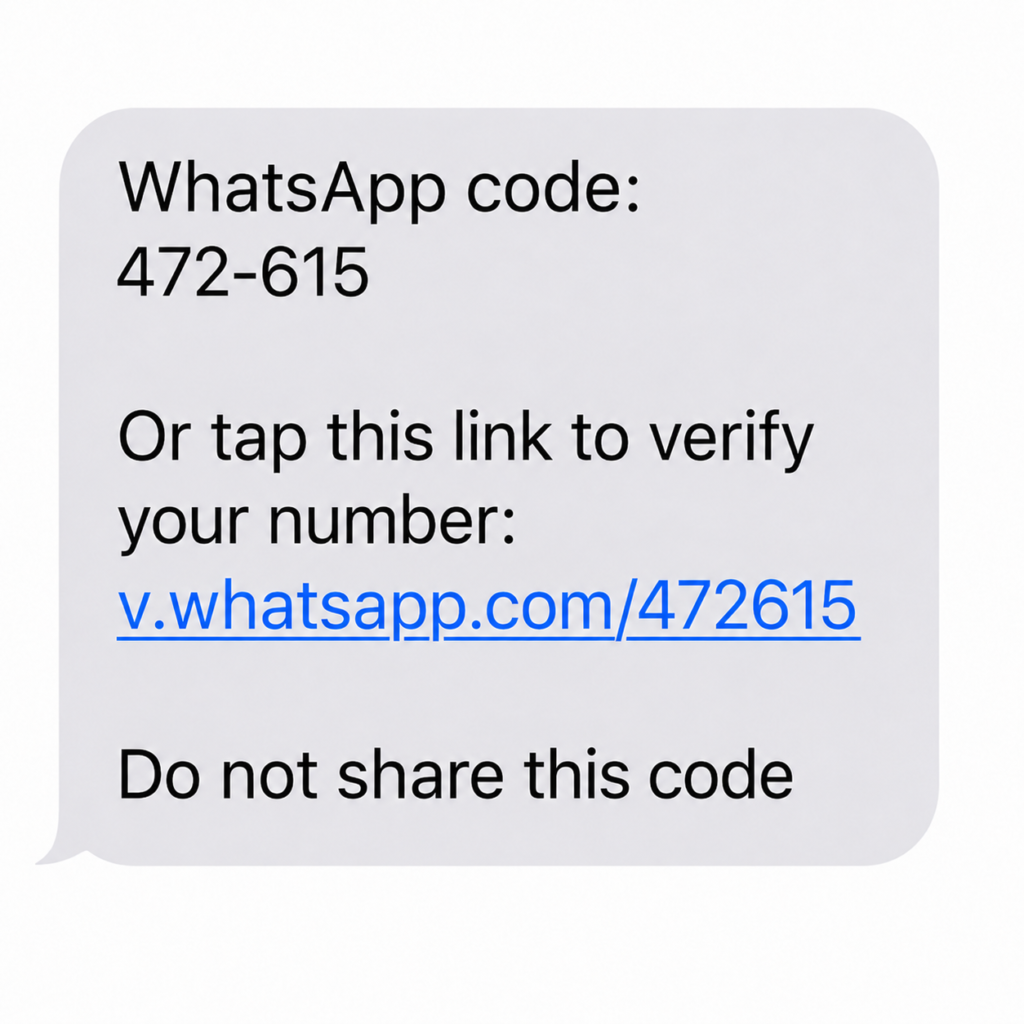
- Unexpected verification codes received.
- Unknown devices connected (WhatsApp Web).
- Profile or group changes you didn’t make.
- Messages marked as read without opening the app.
- Contacts reporting suspicious messages sent in your name.
Table: Cloning Signs and Recommended Actions
| Warning Sign | What to Look For | Recommended Action | Priority |
|---|---|---|---|
| Messages sent without you | Conversations with responses you didn’t type | Alert contacts and review history | High |
| Unexpected verification code | 6-digit code received via SMS or call | Do not share; enable two-step verification | High |
| Unknown devices | Sessions on WhatsApp Web or unfamiliar devices | Disconnect all unknown devices immediately | High |
| Profile or group changes | Photos, status, or groups modified | Adjust privacy settings and inform contacts | Medium |
How to Check Connected Devices
WhatsApp allows you to review all devices connected to your account. On Android, go to the three dots → “Linked Devices.” On iPhone, go to “Settings” → “Linked Devices.”
If you see a device you don’t recognize, disconnect it immediately. This simple action resolves most cases of unauthorized access.
What to Do If You Receive a Verification Code You Didn’t Request
Receiving a verification code without requesting it indicates someone may be trying to register your account on another device. Never share this code. WhatsApp never asks for codes via messages, and sharing it can result in total account loss.
Immediately enable two-step verification, creating a six-digit PIN. This ensures that even if someone has your verification code, they cannot activate your account.
Sudden Loss of Access to Your Account
If you lose access to WhatsApp and a message indicates your number has been registered on another device, follow these steps:
- Attempt to register your number again on WhatsApp.
- Enter the code received via SMS or call.
- Immediately enable two-step verification.
- Review your contacts, groups, and recent conversations.
- Inform friends and family about any messages sent without your authorization.
If suspicious activity persists, contact official WhatsApp support.
How to Protect Yourself from WhatsApp Cloning
- Enable two-step verification: adds a six-digit PIN in addition to the verification code.
- Monitor connected devices: regularly check WhatsApp Web and disconnect unknown sessions.
- Keep the app and system updated: updates fix vulnerabilities exploited by hackers.
- Use a password or biometric lock on your phone: prevents unauthorized physical access.
- Never share verification codes: WhatsApp never requests them via message.
- Avoid suspicious third-party apps: many claim to track WhatsApp but steal data instead.
- Review privacy settings: limit who can see your profile photo, status, and About info.
- Alert contacts about suspicious messages: prevents them from falling for scams.
Advanced Protection Checklist
- Regularly review connected devices.
- Enable two-step verification.
- Keep WhatsApp and your device updated.
- Use a strong phone lock or biometric security.
- Limit visibility of personal information.
- Avoid third-party apps promising WhatsApp monitoring.
- Inform contacts about unusual messages.
- Never share verification codes.
Knowing if your WhatsApp has been cloned is essential to protect your messages, files, and contacts. Paying attention to warning signs, checking connected devices, enabling two-step verification, and adopting safe digital habits significantly reduces risks.
Act quickly if you notice anything suspicious. The sooner you respond, the better your chances of preventing damage, scams, or data exposure. Following these practices allows you to maintain control of your account and protect your privacy, keeping your conversations and contacts safe.